


Download Microsoft Visual Studio 2010 Ultimate – development environment, coding tool, software development, application building, debugging, cloud computing, parallel computing, team collaboration, visual studio, software engineering
Overview
Microsoft Visual Studio 2010 Ultimate serves as a comprehensive development environment tailored for professional software engineers and development teams. Designed to streamline the entire application lifecycle—from initial concept to deployment—the tool addresses the complex challenges of modern software engineering. It supports the creation of applications across diverse platforms, including cloud and parallel computing environments, reflecting its adaptability to evolving technological demands.
The software is particularly suited for enterprise-level projects requiring structured workflows, detailed analytics, and robust collaboration capabilities. Its integration of prototyping, architecture modeling, testing, and debugging tools makes it a central hub for developers aiming to deliver high-quality, scalable solutions. While the developer, Microsoft Corporation, is well-established in the software industry, the application itself was released in 2010, marking a significant milestone in integrated development environments (IDEs) at the time.
Real-world use cases include large-scale enterprise application development, cross-platform software projects, and team-based software engineering initiatives. Despite its age, the tool remains relevant in legacy systems and educational contexts where foundational development practices are taught. Its role in the software ecosystem lies in providing a unified platform that enhances productivity, ensures code quality, and supports collaborative innovation.
Key Features & Functionality
- Simplified Application Development: The environment integrates essential tools for coding, debugging, and deployment, reducing the complexity of the development process. Developers can focus on logic and functionality rather than infrastructure setup.
- Customizable Development Processes: Teams can define and implement tailored workflows, enabling consistency and predictability across projects. This flexibility supports agile and traditional methodologies alike.
- Detailed Analytics and Traceability: Built-in analytics provide visibility into project progress, code quality, and team performance, supporting data-driven decision-making and continuous improvement.
- Powerful Prototyping and Architecture Tools: Developers can model system architecture early in the lifecycle, enabling better design decisions and reducing rework during implementation.
- Advanced Collaboration Features: Integrated tools facilitate real-time communication and version control, ensuring alignment among distributed teams and minimizing miscommunication.
- Integrated Testing and Debugging: Comprehensive testing frameworks and debugging utilities allow for early detection of issues, reducing post-deployment failures and maintenance costs.
For example, a development team building a cloud-based enterprise application can use the architecture tools to model service interactions, leverage debugging features to resolve runtime errors, and use analytics to track sprint progress. These features collectively enhance efficiency and reduce time-to-market.
Interface, UX & Performance
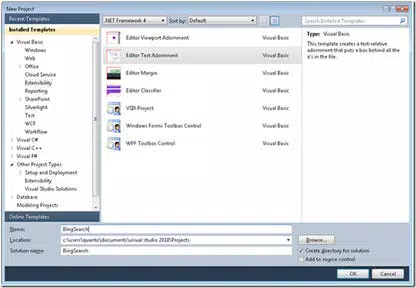
The user interface of Microsoft Visual Studio 2010 Ultimate is structured around a modular, customizable workspace. Developers can arrange tool windows, code editors, and debug panels according to their workflow preferences. The visual style reflects the Windows desktop environment of the era, emphasizing functionality over aesthetic minimalism.
Navigation is achieved through a combination of menus, toolbars, and keyboard shortcuts, which may require an initial learning curve for new users. The interface supports multiple document views and project management tools, facilitating efficient handling of complex codebases. Although the developer did not list formal performance metrics, the application is known to be resource-intensive, particularly on older hardware.
It operates on Windows systems and may experience slower responsiveness on devices with limited RAM or outdated processors. Stability is generally reliable under standard workloads, though crashes can occur during large-scale project builds or when using third-party extensions. The overall user experience remains professional and focused, suitable for developers who prioritize depth of functionality over lightweight design.
Platform Compatibility & Technical Requirements
Microsoft Visual Studio 2010 Ultimate is available exclusively for the Windows platform. It requires a Windows operating system, though specific minimum OS versions were not listed by the developer. The software has a file size of 3.2 GB, indicating a substantial installation footprint typical of full-featured IDEs.
This size reflects the inclusion of compilers, debuggers, libraries, and development templates. The application version is 10.0.40219.1, released on April 12, 2010. The developer did not specify minimum hardware requirements or compatibility details for newer Windows versions.
As such, users should exercise caution when attempting to install the software on modern systems, as compatibility issues may arise due to outdated system dependencies. Support for current Windows versions (e.g., Windows 10 or 11) is not guaranteed and may require compatibility mode or virtualization.
Pros and Cons
Pros
- Comprehensive suite of development tools in a single environment.
- Strong support for enterprise-level application development and team collaboration.
- Integrated testing, debugging, and analytics enhance code quality and project transparency.
- Powerful architecture and prototyping tools aid in early-stage design and planning.
- Well-established reputation and long-standing support within the developer community.
Cons
- Released in 2010, making it outdated by current software standards.
- High system resource demands may hinder performance on modern or low-end machines.
- Not officially supported on newer Windows versions without compatibility adjustments.
- Limited availability of updates and security patches since its release.
- High price point of $1,299.00 may be prohibitive for individual developers or small teams.
FAQ
Is Microsoft Visual Studio 2010 Ultimate still safe to use?
The software is no longer supported by Microsoft, which means it does not receive security updates. Using it on systems connected to the internet is not recommended due to potential vulnerabilities.
Can I install Visual Studio 2010 Ultimate on Windows 10 or 11?
Installation may be possible using compatibility mode, but official support is not provided. Performance and stability cannot be guaranteed on newer operating systems.
Is there a free version available?
Microsoft no longer offers Visual Studio 2010 Ultimate as a free download. The product is commercial and requires a paid license for use.
What kind of projects can I build with this tool?
The environment supports a wide range of projects, including desktop applications, web services, cloud-based solutions, and applications targeting parallel computing architectures.
Are updates available for this version?
No official updates are available. Microsoft has discontinued support for Visual Studio 2010, and users are encouraged to upgrade to a current version for continued functionality and security.
Final Thoughts
Microsoft Visual Studio 2010 Ultimate remains a historically significant tool in the evolution of integrated development environments. While its age and lack of modern support limit its practicality for current development needs, it continues to serve niche roles in legacy system maintenance and educational settings. For developers working with older codebases or learning foundational software engineering principles, it offers a robust and well-documented platform.
However, for new projects or teams seeking cutting-edge features, security, and compatibility, upgrading to a modern IDE is strongly advised. The tool’s value lies in its depth of functionality and historical relevance rather than current usability. Its high cost and technical limitations make it less accessible for today’s developers.
Despite these constraints, the software exemplifies the capabilities of early 2010s development tools. For those who require it, understanding its constraints is key to effective use. Download Microsoft Visual Studio 2010 Ultimate now if you are working with legacy systems or studying foundational development practices.


